
Inspire and Motivate Your Students With Our Affordable Textbooks
Find your textbookWhy Choose BVT?
BVT Publishing was founded on the belief that all students have the right to education, and should not face restraints to higher education simply because of the cost of a textbook. Our pioneering efforts have been dedicated to providing quality, affordable textbooks that meet the needs of students and instructors alike. As a growing publisher, we pride ourselves on continually developing our products through awareness and forward thinking. Our textbook representatives are responsive and ready to listen to your needs and build a publishing package that fits you. We learn from your expertise and create our products around it. After all, you and your students are our main priority.
We also recognize that each student has particular needs when it comes to textbooks, whether it is budget constraints or personal learning preferences. Some students like the recent shift to digital products, while others prefer a physical product that allows them to write in the margins, dog-ear pages, and highlight material. Either way, we have them covered with our various formats:
LAB BOOKPlus is our highly affordable, interactive online eBook platform loaded with features for both instructors and students. Instructors enjoy authoring tools that let you edit or add content to the underlying textbook, as well as auto-graded assignments, Student Engagement monitoring and Attendance features, plus a suite of online teaching tools. Students get an under $30 mobile-friendly eBook for 6 months, which is fully integrated with BVTLab®, plus study tools like built-in comprehension questions, notes and highlighting. Students also get Instant Access (2 weeks free), a 10%-off coupon and an affordable print companion.
Loose-Leaf Textbook is a physical product that allows students to carry only the chapters they need, and to insert their class notes right into their binder along with the textbook pages. This option is not a package and will not include the eBook, BVTLab® or any online student resources.
TEXTBOOKPlus is our most popular format and best value, as it includes both a loose-leaf textbook and our full access eBook, and is packaged with BVT Lab and online student resources.
Soft Cover Textbook is a physical product in the traditional, soft cover paperback format. This option is not a package and will not include the eBook, BVTLab® or any online student resources.
Customize a Textbook
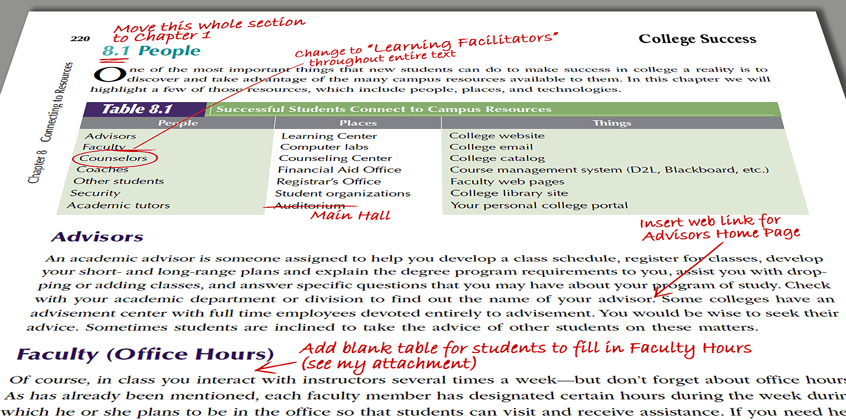
BVT has taken textbook customization to a new level. You can start with any of our textbooks and fully edit the text and graphical content in any way you like, adding your own original content where desired. We will then fully re-typeset the entire manuscript and produce your textbook in the format of your choice (color or B&W, bound or loose-leaf, eBook or physical book). Depending on the level of your contribution, writing grants and royalties may be available. Please visit the Authors & Experts / Customization section of our website to learn more.
Publish With Us
If you have written your own textbook or compiled your own course materials, we would like you to publish with us. We can fully re-typeset your entire manuscript and produce your textbook in the print-color and binding option of your choice. Depending on the level of your contribution, writing grants and royalties may be available. Please visit the Authors & Experts / Publish with Us section of our website to learn more.
Ancillaries
If you are using (or considering using) one of our textbooks, please contact your Textbook Rep to request an access code for the ancillaries. Then you can visit the textbook page (browse or search using the left-hand navigation on this page) and click on the "Supplements" link to download your content.
Student Success
BVT is pioneering a flexible, collaborative approach to publishing Student Success textbooks and materials. Everything we offer can be customized, refined, and molded to fit each campus’s specific needs. All of our authors and content developers are encouraged to work together and support each other to produce the best possible content with the best possible results.
If you are looking for a textbook or course materials for a Student Success course or a First Year Experience program, we have many options for you.
Adopt a Textbook
- College Success: A Concise Practical Guide, 7th edition by Strickland and Strickland
The seventh edition of our flagship textbook for Student Success has already been adopted on close to 100 campuses since its release last year. This workbook-style text can be adopted as-is or can be fully customized for your campus. Click here for additional information on the textbook and to request an examination copy.
- Learning Strategies for College and Career, 3rd edition by Hettich and Campbell
Rebecca Campbell, Director of Academic Transition Programs at... (show more)
- Community College Success: A Concise Practical Guide, 7th edition by Strickland and Strickland
Authors of the ever-popular College Success: A Concise... (show more)
- Navigating Your Future Success, 3rd edition by Colbert
This book was written to show students how to be successful... (show more)
- The College Success Handbook, second edition by Williams
We have written and designed this book to help college students be successful... (show more)
Customize for Your Needs
All of our textbooks are available as customized versions tailored to meet the specific needs of your course or campus. Our customization program goes above and beyond the options you are used to, so take a moment to explore some of the possibilities here.
Build Your Own Textbook
BVT has a growing library of Student Success chapters that can be selected and arranged to build a textbook and its associated ancillaries and resources. Any chapters from our textbook library can be combined to create your very own textbook.
Write Your Own Textbook
If you have written (or are writing) your own textbook or course materials for a Student Success course, we would like to partner with you to publish a high-quality, affordable product for your students. Please submit a publishing inquiry, and we will set up a call to discuss your options. If your content is on a topic of broad interest, we may even market it nationally to other campuses with similar needs.